

Quick answer: Turn on the counter first: Settings, the Other tab, Display performance metrics shows FPS, PING and LOSS. Low FPS means your PC. High PING or any LOSS means the connection: Rob Run only has EU and East US servers, so distance matters, and Wi-Fi drops packets. If FPS tanks only when you move the mouse, lower your mouse polling rate, which is Kefir's own fix.
"Lag" covers three different problems in this game. Rubber-banding cars, shots that never register and a slideshow every time you turn the camera all feel the same in the middle of a gunfight. They aren't, and each one has its own fix.
Read the counter first
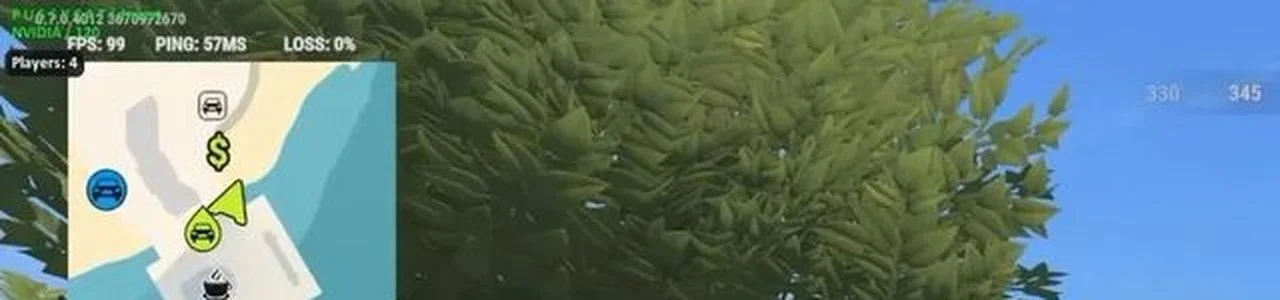
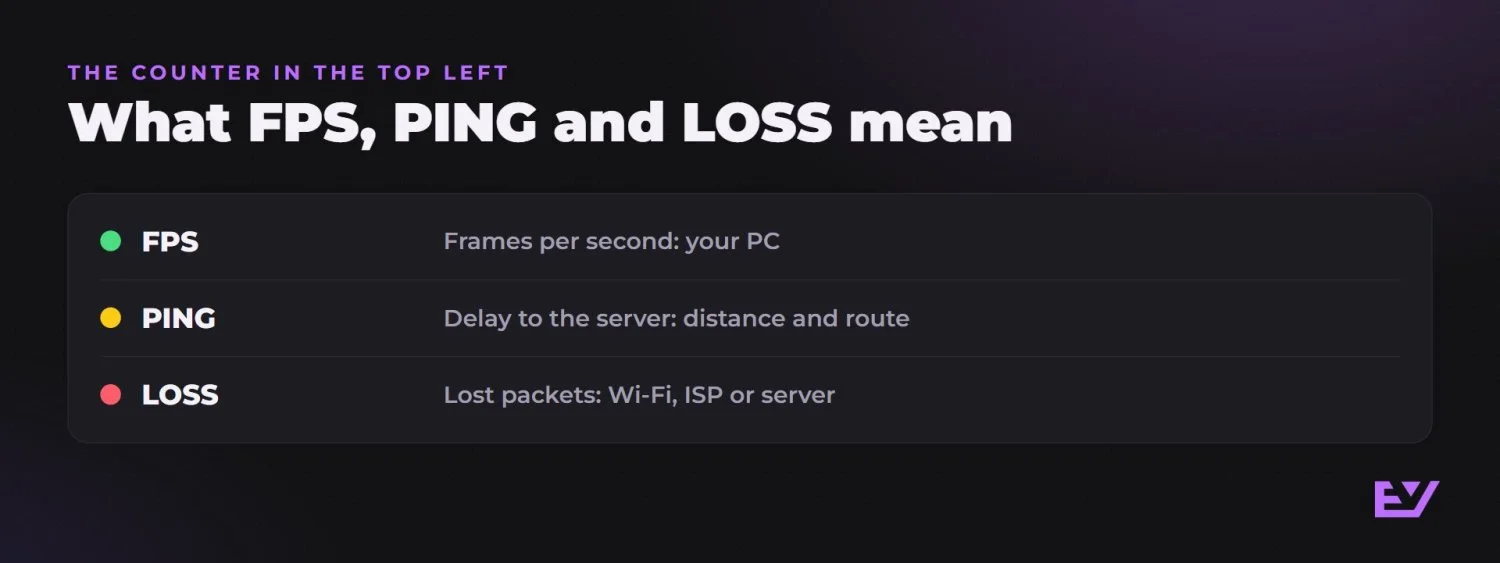
You get a basic display and a bigger detailed one. Both sit next to Streamer Mode and the party auto-actions.
Now watch the combo. Smooth FPS with jumping PING or LOSS? Your PC is innocent. FPS dropping while PING sits still? It's your hardware or your settings, and no router trick will touch it.
Ping by region
Rob Run runs two regions, EU and East US. Kefir opens at least one fresh server a day in each, at 5 PM UTC for EU and 8 PM ET for East US. Extra servers open automatically when load demands it, outside those times too.
Kefir doesn't publish ping numbers. These come from Steam threads and guides:
- US West Coast: about 110 ms;
- Brazil: 140 to 150 ms, the rest of Latin America 150 to 250 ms and worse;
- Asia: around 150 to 200 ms and up;
- Oceania: 200 to 250 ms to East US, 300 to 400 ms to EU;
- Africa: about 200 ms;
- Russia: 70 to 80 ms counts as normal, the Far East sits around 150 ms.
Don't hold your breath for closer servers. On November 13 Kefir said Asia or Oceania can't happen before the end of 2026, and on November 20 it added there'd be no new regions in the next month.
Closer isn't always better, though. Routing can make the farther region steadier, so a European with spiky EU ping may get a calmer line to East US. Try both. The Region switch sits in the Other tab while you're in prison, and since November 17 your progress and Battle Pass points carry over when you change regions. How moving works, and what surrendering costs you, is in how to change servers in Rob Run.
One Steam post claims ping climbs sharply after a server's first day or two. Unconfirmed. Still, if day one felt smooth and day three doesn't, you've got a pattern.
Packet loss and where it comes from
Packet loss is the LOSS number, the share of data that never arrives. Ping is just delay. Loss is what makes cars teleport and shots vanish. At 0% you're fine.
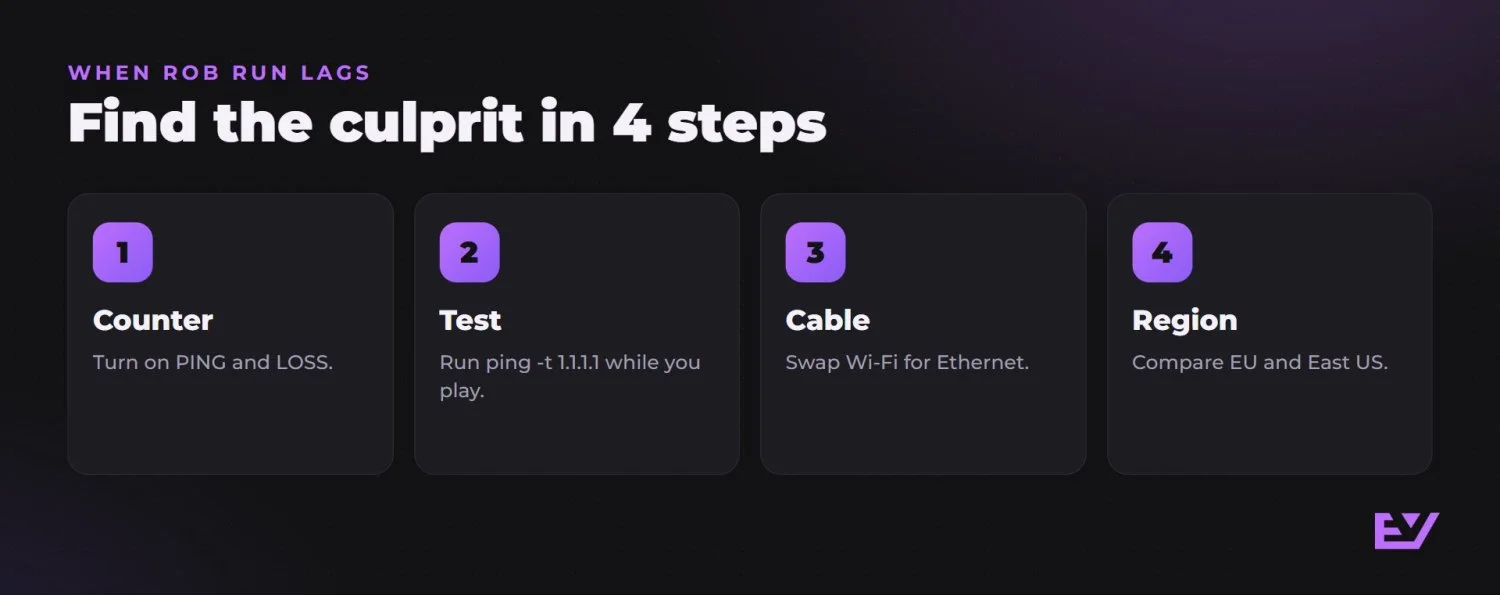
The two-minute test goes like this. Open Command Prompt and run ping -t 1.1.1.1 while you play, then stop it with Ctrl+C. Spikes in both? The problem's on your side: Wi-Fi, router or ISP. Command Prompt flat while the game's PING jumps? Then it's the route or the server.
Want a number instead of a feeling? Run ping 1.1.1.1 -n 50 instead. Windows sends 50 packets and prints the loss percentage at the end.
- Wi-Fi loses packets. Kefir's help text for error E-0503 says to try switching between Wi-Fi and Ethernet, and a stable 5 GHz signal near the router is the next best thing.
- Guest networks in hotels, cafes and public Wi-Fi cause error E-0102. Use a home network without a login page.
- Steam downloads, cloud backups, uploads and streams eat bandwidth. Pause them while you play.
- A fast plan helps downloads, not ping. Distance and routing decide that part.
If loss sits high on a cable and Command Prompt shows it too, restart the router. Still bad? Call your ISP.
When it's Kefir's servers
Some nights nothing on your end matters. In the first week of Early Access the servers took regular DDoS attacks, and Kefir tied the connection errors and lag directly to them. On November 14 EU servers were unstable from 19:46 to 23:47 UTC while US servers ran fine. Maintenance that started on November 18 dragged on until 00:47 UTC the next day, and on November 24 a Google-side outage broke connections for a while.
The patches tried to help. November 17 brought "improved connection stability" and November 20 "improved network performance". What actually changed? Kefir didn't say.
The tell is simple: everyone on the server freezes at once. Then it's not you. Kefir posts restarts and outages on its official channels, so check there and wait it out. Restart notices usually come 10 to 25 minutes ahead, so a freeze right after one is just the restart.
Connection error codes
When lag turns into a disconnect, the game usually throws a code. Kefir's help center lists the network ones:
- E-0101 and E-0110: the game can't reach the server for startup data. Check that websites load at all.
- E-0102: data blocked on the way, typical for guest Wi-Fi, proxies and antivirus HTTPS scanning.
- E-0201: the connection to the game server dropped and didn't come back. Check your line, restart the game.
- E-0202: the authentication server isn't answering. Kefir suggests checking whether your provider restricts anything.
- E-0303 and E-0304: your game data doesn't match the current version. Wait 10 to 15 minutes, switch proxies off, verify the files.
- E-0407: a Steam authentication error, where switching the connection type can help.
- E-0408: the Steam login request timed out. Check whether Steam itself is having a bad day.
Code keeps coming back? Copy the full error text and send it to support. Faster than guessing.
When the game won't let you back in
On November 24 a whole Steam thread hit "Getting player data" and then "Reconnection Required" at the same time. Fixes flew around: one player switched DNS to 8.8.8.8 and 8.8.4.4, another verified files and waited five minutes, a third kept hitting Reconnect. Then someone posted that "they just fixed it". Server side, all along.
So when everybody gets the same screen at once, wait before you start tweaking. Can't get into Looty Bay with your party? Kefir's launch-day advice still works: disband and rejoin. On November 23 Kefir also flagged trouble entering Looty Bay and said a fix was in progress.
Teleporting isn't always cheats
A player zipping across the street looks like a hack. Kefir said on November 9 that flying and teleporting can also be visual artifacts of lag, so glance at your own LOSS before you hit Report. After the November 20 update, a Steam thread titled "Interpolation Time Buffer Stutter/Lag/Teleporting" logged constant teleporting while driving and packet loss all day long.
How Kefir catches real cheaters is in does Rob Run have anti-cheat. Other weird behavior, from crash dupes to invisible teammates, is in our Rob Run glitches list.
Lag only in firefights
Watch PING during the next fight. If it climbs, it's network. If it stays flat while the game hitches, it's frames, and your CPU or GPU is the bottleneck. Lower graphics settings help frame drops, but they won't touch a ping spike into the thousands, and those do happen: guides mention spikes of 2,000 to 3,000 ms.
When frames are the problem
Quick test: compare FPS while you stand still with FPS while you swing the camera around. Steam's own FPS overlay works as a second opinion. FPS dropping to single digits the second you move the mouse is an official bug. Kefir's fix: lower your mouse polling rate in the mouse software. Mice set to 4,000 or 8,000 Hz are the usual suspects, and guides suggest 1,000 or 500 Hz. Their explanation: rates that high flood the CPU with interrupts every time you whip the camera around.
Freezes instead of lag? Kefir's checklist for a game that won't load or keeps freezing: check the connection, restart the game and Steam, and verify the files. A red screen is a separate bug, and turning HDR off in the Graphics tab fixes it.
Still choppy? Kefir's next steps are a fresh GPU driver, a BIOS update on Intel 13th and 14th gen CPUs, and no Discord or GeForce Experience overlays. VSync adds input lag, so leave it off unless you see tearing, and cap the frame rate a bit under your monitor's refresh rate for smoother frame times. Shadows and grass draw distance eat the most frames. There's no DLSS or FSR in the menu yet, so Render Resolution at 0.8 or 0.9 is the lever when your GPU is maxed out. The full list is in Rob Run best settings. Not sure your rig is enough? Compare it with Rob Run system requirements.
VPNs and routing apps
Kefir's ban policy doesn't mention VPNs at all. Its terms do forbid connecting through software Kefir hasn't approved, and its help text for errors E-0102 and E-0303 tells you to switch proxies off. Then again, in its Russian channel Kefir wrote that bypass tools help many players with connection problems. Mixed signals.
Results on Steam are just as split: some players say a VPN or a routing app killed their packet loss, others saw no change at all. One player found that after the November 20 update the game no longer lets him switch VPN mid-session. A routing service can shorten a bad path. It can't move the server closer.
Voice chat cutting out
Robot voice or silence is a network problem too. Kefir's voice chat checklist: allow microphone access in Windows, pick the right mic and voice mode in the game, restart, check the connection, close apps that mess with your network, add Rob Run to your antivirus and firewall exceptions, launch it through Steam and verify the files. Also, since November 17 players with no land plot and no jail time get no voice chat in Prison or at Lenny's Motel. That one's a rule, not lag.
Before you report lag
Write four things down first: your region, the time, your normal ping and the highest spike, and whether it lasts all session or only in fights. That turns "game lags" into something support can actually check. For crashes Kefir also wants your PC specs and the error text, and for anything tied to your account, your UID from the Esc menu.
Skip the nuclear options. Reinstalling Windows or downloading the game again won't touch a routing problem, and a paid booster only helps if the path to the server is what's broken.
FAQ
Is there a Rob Run server status page?
Not an official one. A fan-made status site exists, but Kefir doesn't run it, so treat it as a hint. Kefir's own restart and outage posts are the real source.
Why does Looty Bay load so slowly after a restart?
Kefir has said Looty Bay is shared between servers. After the EU outage on November 14 it warned that the city would load slower because so many players were logging in at once, and the same rush can follow any restart.
See trouble before the lag does
On 150 ms, players show up in jumps and the cop is on you before he's on your screen. Our cheat Evicted warns you by distance instead:
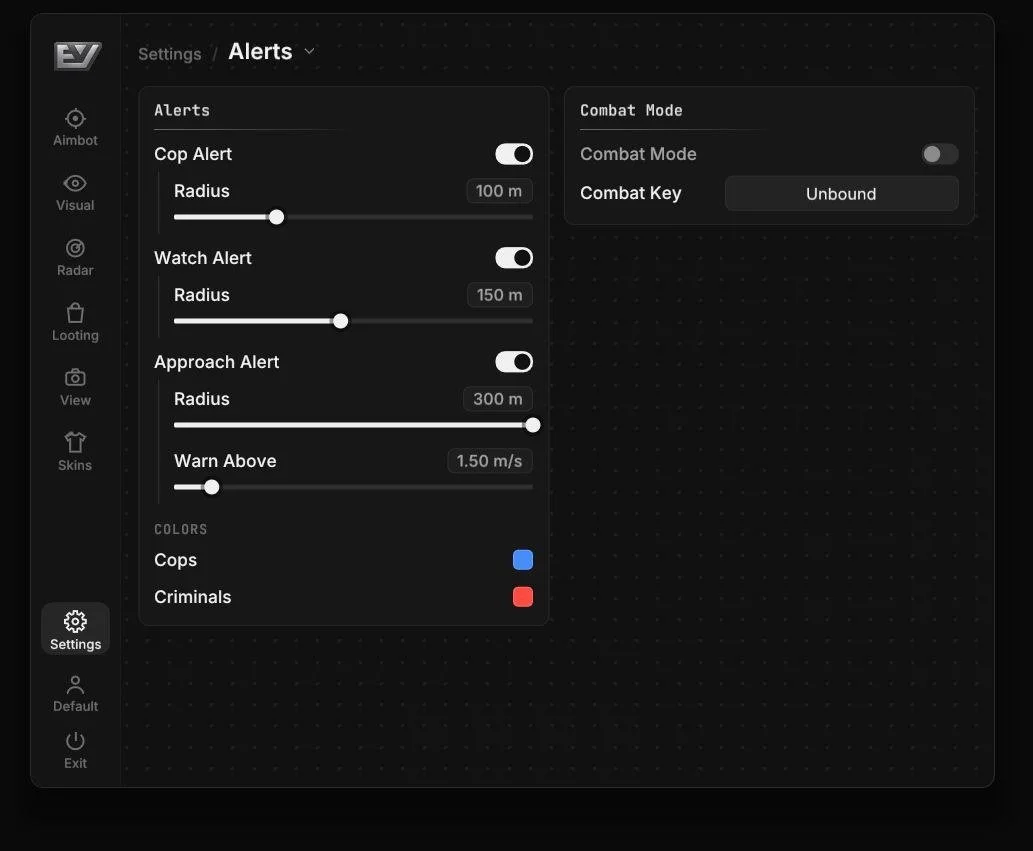
We checked the Evicted product page on November 26, 2026: it's listed as Undetected, at $4.93 for a day, $14.93 for 7 days, $29.93 for 30 and $97.00 for a year.
Cheats break Rob Run's rules and can get you banned.
Playing on high ping? Get Evicted for a day at $4.93.


