

Quick answer: For more FPS in Rob Run, drop Shadows, Grass Draw Distance and Object Visibility Distance first, and turn off HBAO, Reflections, Motion Blur and Depth of Field. Keep Render Resolution at 1.0 unless your GPU is maxed out, then try 0.8 or 0.9. There's no DLSS or FSR in the menu yet. If FPS only tanks when you move the mouse, Kefir's fix is a lower mouse polling rate.
Rob Run is still in Early Access, and the November 17 and 20 patches only touched networking. Kefir lists performance work as planned, so right now your settings are the main lever.
Where everything lives
First come the basics: Fullscreen, Screen Resolution, Render Resolution, VSync, Frame Rate and Anti-aliasing (SMAA, TAA, MSAA or off). Then the Graphics tab with the quality presets and the heavy hitters: Shadows, HBAO, Environment Reflections, Additional Light, Texture Quality, Level of Detail, Water, Grass and the two draw distances. Under Other you can switch on an FPS, ping and packet loss counter, which makes testing way easier.
Our recommended setup
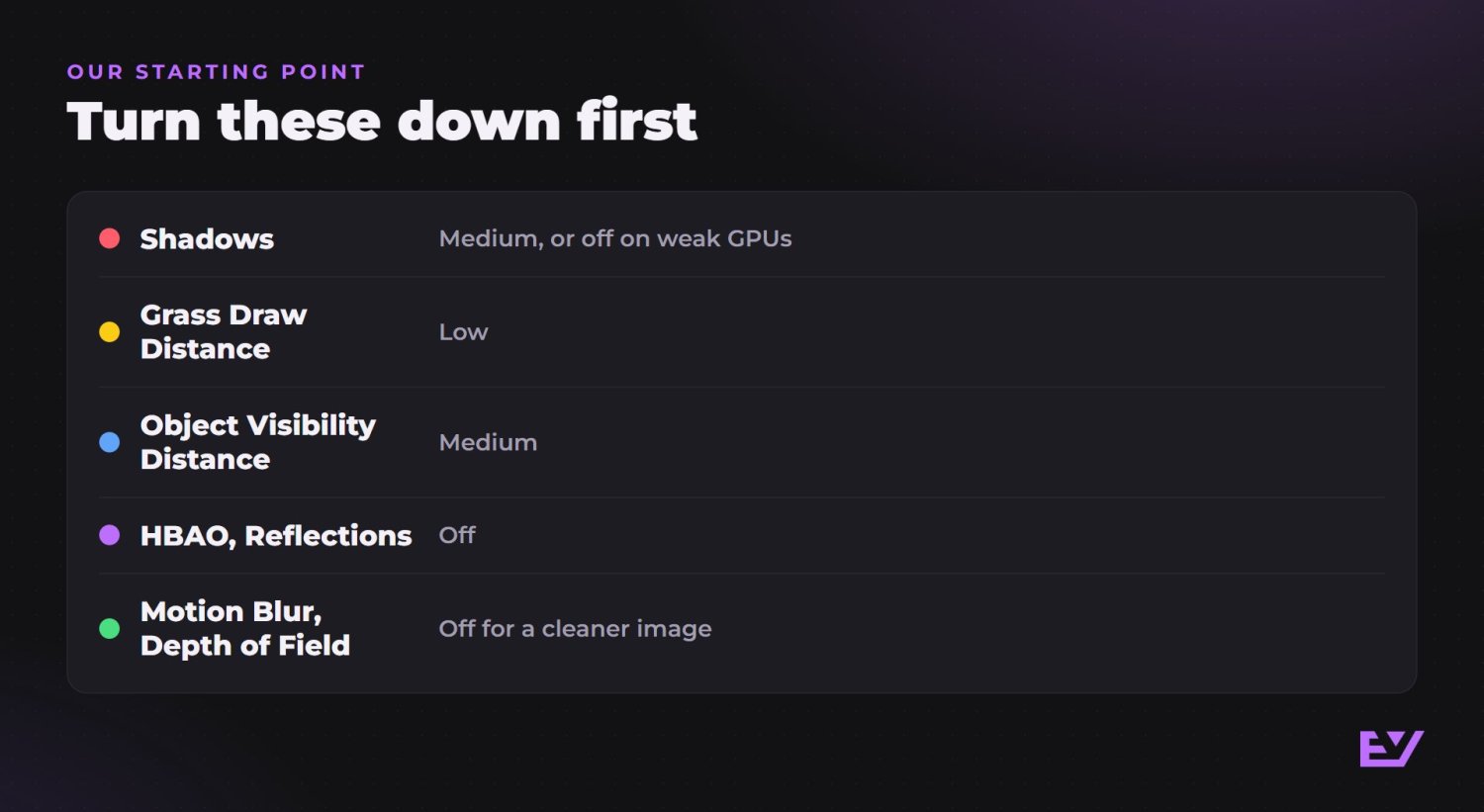
Start from the Medium preset, then change one thing at a time with the FPS counter on. Shadows and grass are usually the biggest wins on mid-range cards. Motion Blur and Depth of Field cost little, but switching them off makes cars and players easier to read in a chase.
- Frame Rate: cap it a bit under your monitor's refresh rate for smoother frame times.
- VSync: off, unless you see tearing and don't mind extra input lag.
- Texture Quality: it leans on video memory more than raw speed, so keep it high on cards with plenty of VRAM.
- Anti-aliasing: TAA looks smoothest, SMAA is lighter.
Not sure your PC is up to it? Check Rob Run system requirements first. Playing on a handheld is its own story, covered in Rob Run on Steam Deck.
Known FPS problems and Kefir's fixes
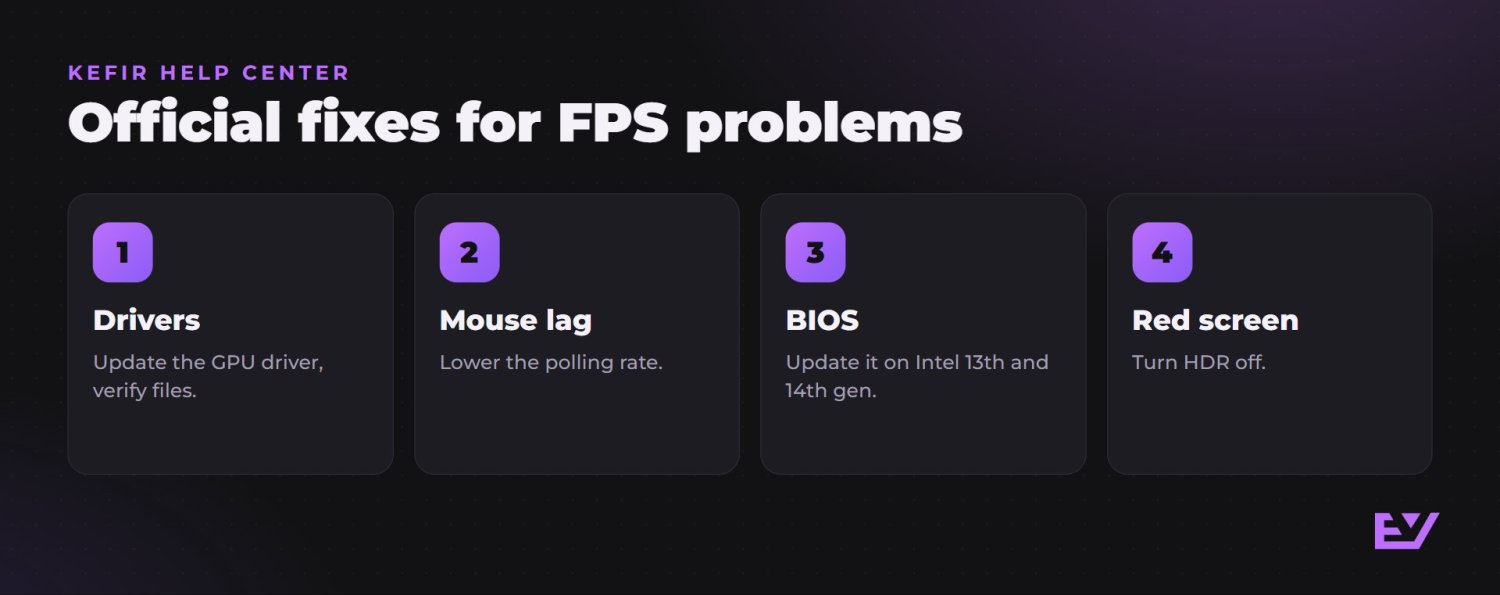
- Freezes or crashes: update the GPU driver and verify the game files in Steam.
- FPS drops when you move the mouse: lower the mouse polling rate, turn off overlays, and on Intel 13th and 14th gen CPUs update the BIOS.
- Screen turns red: switch HDR off in the Graphics tab. Kefir added this one around November 20.
See through fog and smoke
No graphics setting clears weather or smoke. Our Rob Run cheat Evicted does, from its Misc tab:
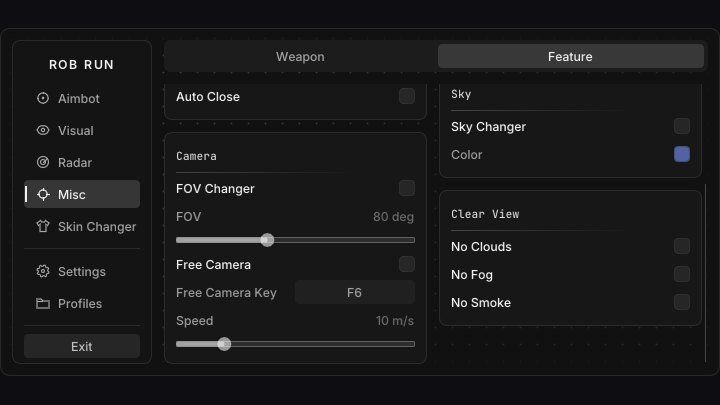
- Clear View: No Clouds, No Fog, No Smoke;
- FOV changer from 50 to 130 degrees;
- free camera on F6 at up to 50 m/s.
We checked the Evicted listing on November 23, 2026: it's marked Undetected, at $4.93 for a day, $14.93 for 7 days and $29.93 for 30.
Cheating breaks Rob Run's rules and can get your account banned.
Tired of losing cars in the fog? Try Evicted for a day at $4.93.
